
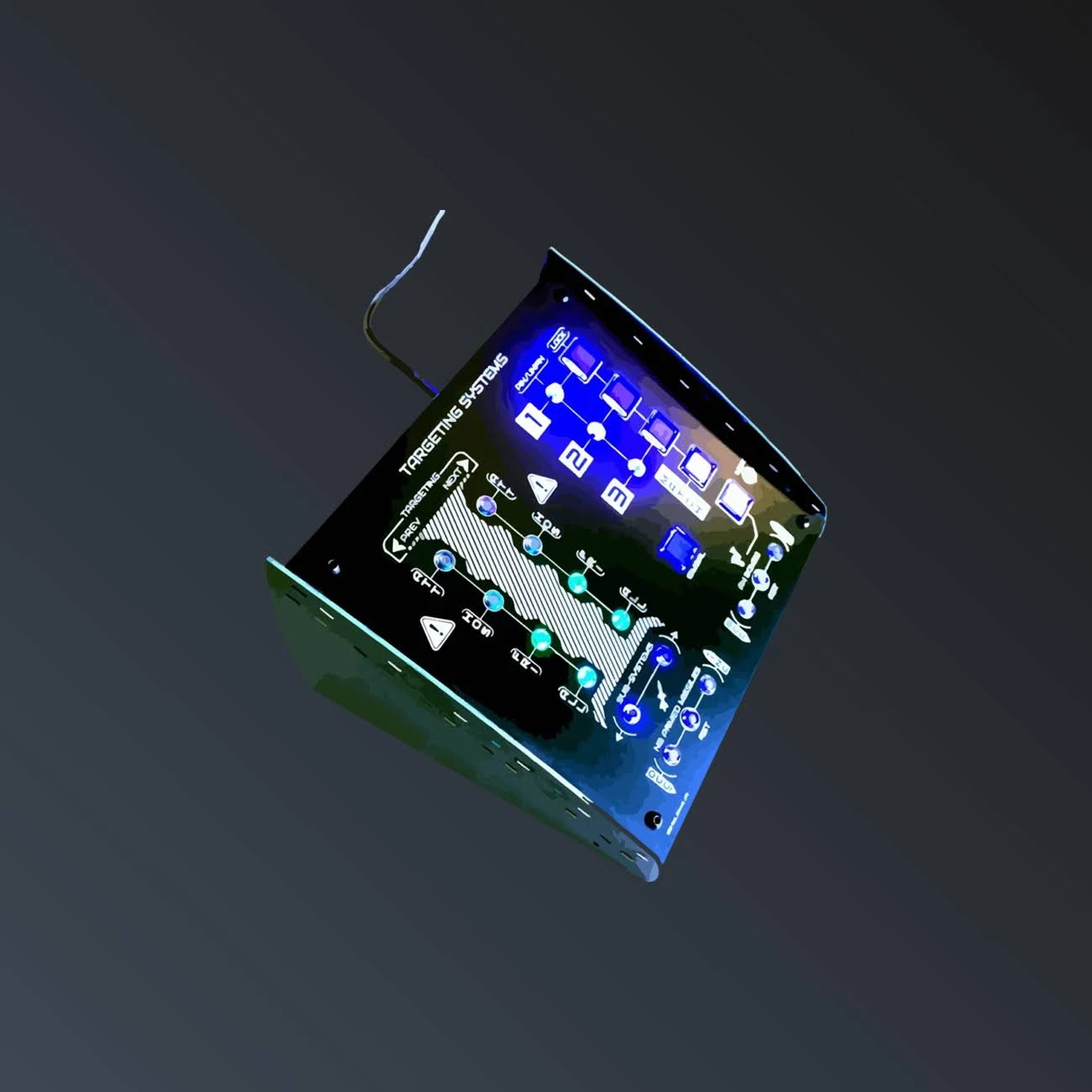
Targeting Systems Panel
€130.00approx. $145 USD
Scan, fracture, extract — with surgical laser control
In stock★★★★★
Price includes €0.08 eco-tax (WEEE). USB-C cable required (port or adapter).
Delivered with desktop legs — sits on any desk, next to your HOTAS.
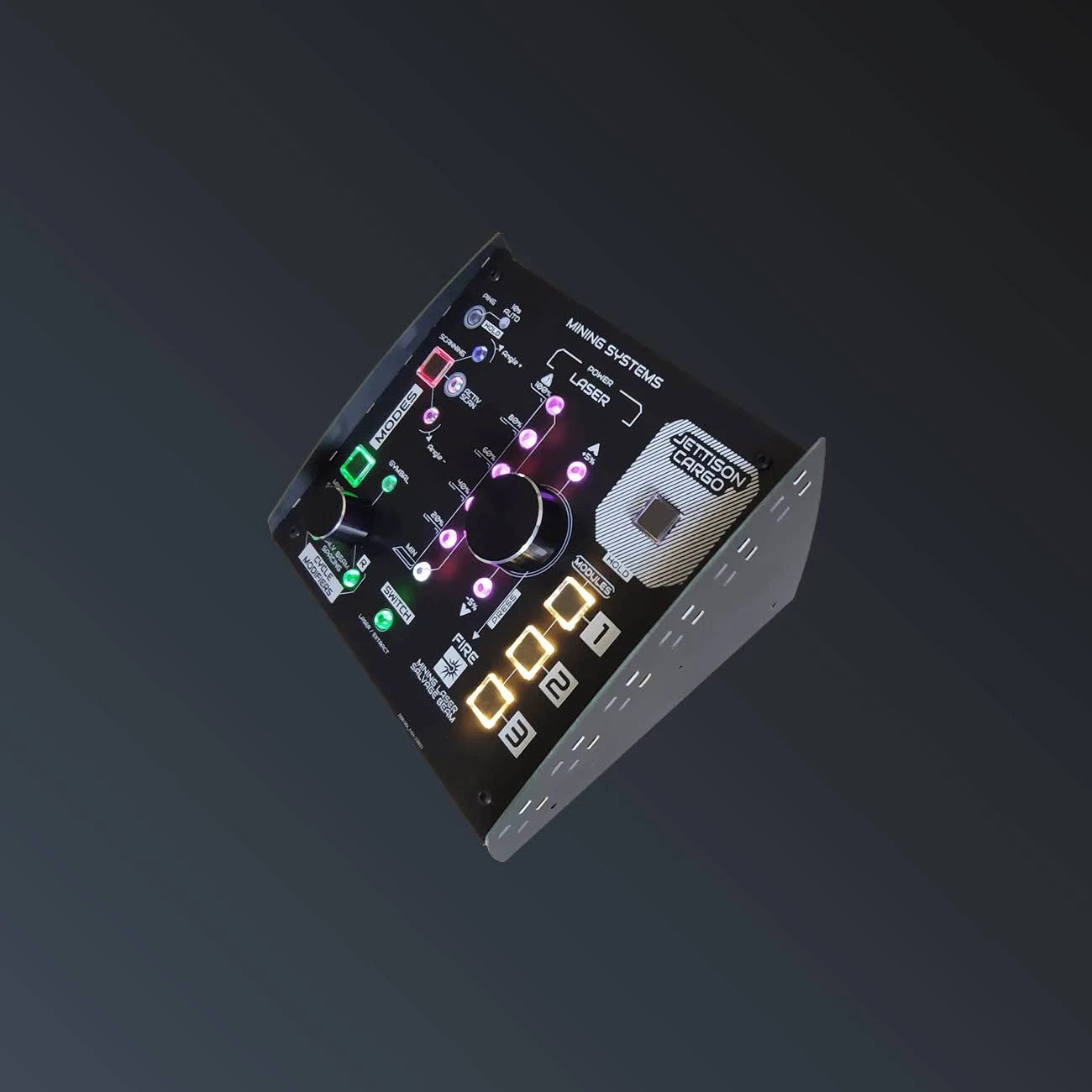
The Mining Systems panel turns Star Citizen mining and salvage into a tactile experience. Ping the radar (long press for 10-second auto-ping), run an active scan and trim the scan angle with dedicated keys — then switch between mining and salvage modes with a single labeled toggle.
Laser control is the star of the show: choose fracture or extraction, step the power with 8 direct buttons, then fine-tune it with an ultra-precise rotary encoder whose push toggles the laser on and off. Salvage pilots get gimbal toggle, left/right cycle modifiers and a rotary for beam spacing. Three module keys (long press) trigger your mining gadgets, and a guarded JETTISON CARGO key (press and hold) starts a 5-second countdown before dumping your hold. The panel lighting reacts to every mode and power change for a fully immersive mining rig.
| Weight | 0.5 kg |
| Dimensions | 20 × 20 × 20 cm |
| Power draw | 320 mA |
| Connection | USB-B (reinforced connector) |
| Mounting | Sits on your desk (legs included) |
Each panel connects over USB and shows up in Windows as a standard game controller — exactly like a HOTAS. Open the Star Citizen keybinding menu, switch to the Joystick / HOTAS view, press the labeled button you want to assign, and you are done. No drivers, no companion software, no profiles to maintain.
The labels are printed on the front face and the buttons are backlit; every function name matches the official Star Citizen terminology, so your muscle memory builds instantly.
Yes. MODULE 1, 2, 3 and JETTISON CARGO are press-and-hold buttons: hold them for about half a second. Jettison Cargo arms a 5 s countdown, then sends the button to the game: in the Windows game controller test, it therefore only lights up briefly at the end of the 5 s. Hold it again during the countdown to cancel.
A short press on PING sends a single ping (purple LED). A long press turns auto-ping on: the LED turns solid green and a ping is sent every 10 s, with a purple flash on each ping. Another long press turns it off.
This is normal: they act directly on the rotary encoder value, which is sent to the game as an axis. Bind laser power to this axis by turning the encoder; the encoder push is a real button that turns the laser on or off.
The light gauge only lights up in mining mode: switch the panel to MINING mode, then turn the encoder.
The panels show up as a standard USB game controller. They are tested and guaranteed on Windows, the platform Star Citizen runs on. Mac and Linux generally recognize this type of controller, but I have not tested them, so I cannot guarantee it.
Yes: any game that accepts a HOTAS or a joystick recognizes them, for example Elite Dangerous, DCS World or Microsoft Flight Simulator. The printed labels, however, match Star Citizen's functions.
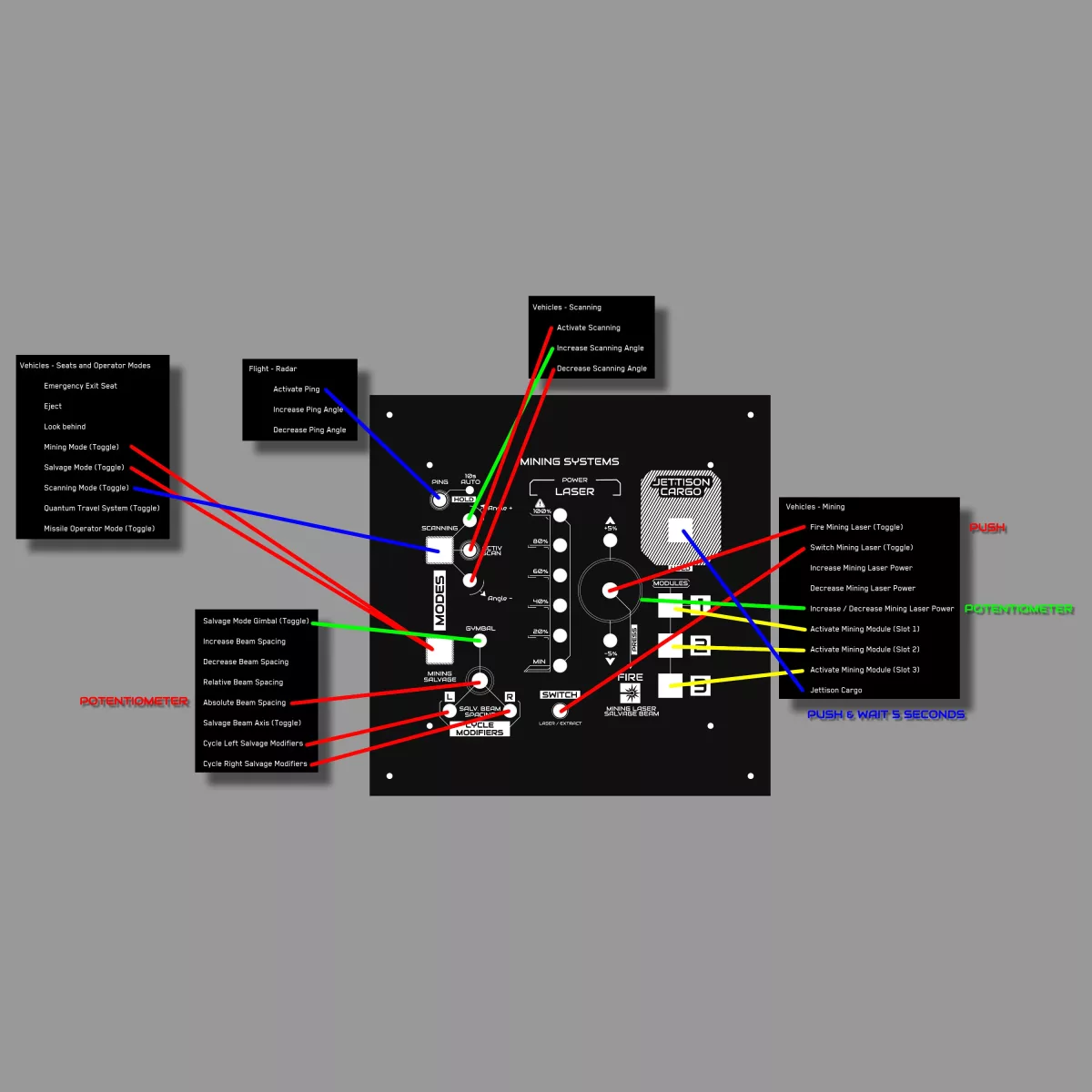
Open Options › Keybindings and switch the view to Joystick / HOTAS: the panel is only recognized in this view. Select the action, then press the button on the panel. The diagram on each product page is a recommendation: you can bind any button to whatever you like.
A 2 m USB cable is included with every panel. The Targeting Systems uses a USB-C connector; the General Systems and Mining Systems use a reinforced, sturdier USB-B connector.
Sometimes. The game is constantly evolving: some actions appear, get renamed or disappear. After a major update, check your bindings in the Joystick / HOTAS view and rebind the affected keys.
Products are covered by the 2-year legal guarantee of conformity. Every panel is tested by hand, button by button, before shipping. If anything goes wrong, contact me before any return: most issues are solved in a few minutes.
Yes, you have 14 days from delivery. The product must be returned unused, in its original packaging; return shipping is at your expense. The refund is made within 14 days of receiving the return, as set out in our terms of sale.
→ All frequently asked questions
Please enter your order reference and email.